

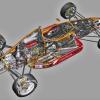
hmmm............hey gang ! I think Tony has lots of goodies in store for us !I found an album of 35mm Kodachrome slides of artwork - this included.
he probably now wishes he hadn't written that l


Member
Posted 23 December 2009 - 23:15
hmmm............hey gang ! I think Tony has lots of goodies in store for us !I found an album of 35mm Kodachrome slides of artwork - this included.
Advertisement

Member
Posted 24 December 2009 - 09:05
he probably now wishes he hadn't written that l
Member
Posted 24 December 2009 - 15:59

Member
Posted 24 December 2009 - 16:34


Member
Posted 24 December 2009 - 17:29
HAPPY CHRISTMAS TO EVERYONE IN CUTAWAYLAND, AND BEYOND!
Member
Posted 24 December 2009 - 17:35
My thought ! I actually scraped my leg on the edge when I thought I would wander out of cutawayland for a short break !!!There's something beyond "Cutawayland"? I thought one simply fell off the face of the Earth!
Member
Posted 24 December 2009 - 17:51
I have seen a "filled in" colour Robert Roux cutaway. that was a Matra V12 engine, but this looks likeMerry Christmas to all
and Matra 630 cutaway by Robert Roux
Ibsen

Edited by macoran, 24 December 2009 - 17:54.
Member
Posted 24 December 2009 - 18:34
Ah well, I was paraphrasing Buzz Lightyear - "To infinity and beyond!" As we know, there is no beyond, but it survives in legend. Marc's slight graze is no more than stigmata, and a session of stitching parts of scans seamlessly will cure it completely!There's something beyond "Cutawayland"? I thought one simply fell off the face of the Earth!

Member
Posted 24 December 2009 - 19:51


Member
Posted 24 December 2009 - 20:13
Very interesting dovatf, thanks for the link!
Junkers Jumo 211... Yours are a little better, Tony !
Merry Christmas again !
Member
Posted 25 December 2009 - 13:14


Member
Posted 26 December 2009 - 12:42
Member
Posted 26 December 2009 - 13:14
Pat, I'm surprised macaron and ibsenop have managed to keep posting so energetically, even in Cutawayland the elves need a kip!Bump
How could this slip to the second page?
Pat
Member
Posted 26 December 2009 - 14:57

Edited by Tony Matthews, 26 December 2009 - 15:04.

Member
Posted 26 December 2009 - 18:49

Member
Posted 26 December 2009 - 18:55

Member
Posted 26 December 2009 - 18:59

Edited by TWest, 26 December 2009 - 19:03.
Member
Posted 26 December 2009 - 19:06

Advertisement
Member
Posted 26 December 2009 - 19:19

Member
Posted 26 December 2009 - 19:22

Member
Posted 26 December 2009 - 19:25

Member
Posted 26 December 2009 - 19:29

Member
Posted 26 December 2009 - 19:38


Member
Posted 26 December 2009 - 19:40
I meant to reply to this days ago Al, sorry! You have certainly improved the illustration, but the red is too blue, it was a very orangy red! With the basic software that I have, if I reduce the blue or increase some other colour the whole illustration changes - when I had Photoshop I could just tickle the areas that I wanted. Thanks for the effort.Tony
Is the Mclaren M26 anything close to the original, the lighting effects on the red makes me wonder. I'm beginning to obsess if the red is too blue or too green or saturation is correct or ..................!
http://img198.images...mclarenm26.jpg/
Al
Member
Posted 26 December 2009 - 19:53
Thanks for another fine bunch of illustrations Tom.This was actually the smallest cutaway I ever did. What I was thinking in trying this, I can't tell you as it was almost blinding trying to do it that small.
Member
Posted 26 December 2009 - 20:09
Member
Posted 26 December 2009 - 20:27
Tony,
I know that you guys tended to be around 40-inch long or so, where my largest ended up something like 30-35 or so...
Still grateful for the inspiration ... but I do wish you guys had inspired me to do something that actually had a chance of making a bit of money; only thing I would really change ...
Thanks, anyway.
Tom West
And, my wireless setup here is working plenty fast, uploads and all are sailing right along. Just thought I would let you know how the colonies seem to be doing, at least in that aspect. Not quite sure about most of the rest of late.
Edited by Tony Matthews, 27 December 2009 - 17:39.
Member
Posted 26 December 2009 - 22:27
Thanks Al, a terrific drawing of a great car, one of many that I would have liked to have done!A bit of old school to pass the time.
http://img23.imagesh...958vanwall.jpg/
Al

Member
Posted 26 December 2009 - 23:26
I meant to reply to this days ago Al, sorry! You have certainly improved the illustration, but the red is too blue, it was a very orangy red! With the basic software that I have, if I reduce the blue or increase some other colour the whole illustration changes - when I had Photoshop I could just tickle the areas that I wanted. Thanks for the effort.
Member
Posted 27 December 2009 - 18:08

Member
Posted 27 December 2009 - 18:13
This time we have a 1961 Ferrari sharknose with the 120°V6, out of Car & Driver from July, 1961.
Tom West
Edited by macoran, 27 December 2009 - 18:14.
Member
Posted 27 December 2009 - 18:43

Member
Posted 27 December 2009 - 21:49
Tom I scanned and posted that when we were heavy on Sharknoses here, but the C&D issue was with a red background.
Did you filter that out ?
I keep wondering how come your black comes out so much more solid than in my scans.
P.S. you saved me digging up and scanning a lot of SCGs, busy you've been !!
Thanks for the great posts.
Member
Posted 28 December 2009 - 13:30


Member
Posted 28 December 2009 - 17:23

Edited by macoran, 28 December 2009 - 17:24.
Member
Posted 28 December 2009 - 22:37

Advertisement
Member
Posted 28 December 2009 - 22:49
I'm fairly certain that the SM is a Betti, Marc, due to the trademark cutting of the glass. As I've said before, I'm not sure why they felt the need to cut a transparent material, but they were/are the only illustrators to do it as far as I know. Now - G or B...? G I think.Citroen SM, the one with the Maserati V6, probably by the house publicity department
although it could even be a G.Betti
Member
Posted 28 December 2009 - 23:20

Member
Posted 28 December 2009 - 23:37
This is another late drawing Marc, by which I mean - done after I left. The copyright symbol is a giveaway. He never had a TC as far as I know, although at one stage he had a small collection. You don't have to own one to draw it, otherwise I'd have a huge garage!Here is a little beauty ! an MG TC.
Tony, you'll be able to tell us if Jim Allington ever owned one, because for the life of me I couldn't imagine how anyone
could get this much detail into a cutaway without having the actual object sitting in the backyard...or forecourt.
Member
Posted 29 December 2009 - 12:56


Member
Posted 29 December 2009 - 13:12
When I first met him he had rebuilt an MG TF, originally a LH drive car owned by a US Airforce member who had a very bad accident in it, probably through briefly forgetting which side of the road to drive on. There is an airbase near Hitchin, Chicksands, which in the 50's, 60's and 70's was very big, home to a lot of Americans, and I think the TF's owner was based there.

Edited by alansart, 29 December 2009 - 13:13.
Member
Posted 29 December 2009 - 13:55
We've (nearly) all been through that phase Alan! The road from Hitchin to Bedford is a bastard, even now that they have done quite a bit to 'improve' it, parts of the old road still exist, and I do have occasional flash-backs when I remember a particular incident or three from the old days! I have a client in Bedford, so I use the road every now and then, always a thrill to see the airship hangers at Cardington.Off topic: I almost had a huge accident outside Chicksands in a LH drive Porsche 924. Trying to overtake in a LH drive car can be awkward at times although I was a bit mad in those days
You used to be able to see the Early Warning Radar Display from miles away, I never saw it close up, but it was massive, and a huge landmark from Pegsdon Hills, Sharpenhoe Clappers or Barton Springs - unless you were down at the springs, of course, when you couldn't see much but grass and sky. And the springs. Chicksands is still in use, but I don't know the purpose.On topic: I did see a drawing somewhere of the Early Warning Structure at Chicksands. A huge circle of antennae on top of the hill. Now gone and I think the place is being used as Council Offices.
Edited by Tony Matthews, 29 December 2009 - 13:56.

Member
Posted 29 December 2009 - 14:14

Member
Posted 29 December 2009 - 14:14
Thanks for the confirmation Ibsen, now I can file it in the Betti file rather than just stick it into the A.N.Other fileMarc,
you and Tony are right. The Citroen SM cutaway is by Giulio Betti.
Ibsen
Member
Posted 29 December 2009 - 14:26
Wow! That was quick DM! Just look how stunted the trees are around it - spooky!Not a drawing therefor off topic:
Voila! Chickensand radar array.

Member
Posted 29 December 2009 - 14:26
always a thrill to see the airship hangers at Cardington.


Member
Posted 29 December 2009 - 16:37
Did anything come of this Marc? I'm guessing no, or we would have heard about it.Found this, and will try and get in touch with the Bettis. Brother Bruno is still staff-artist at Quattroruote !!
http://images.google...ttp...=210&um=1


© MOTORSPORT NETWORK 2024. All rights reserved. Community Forum Software by IP.Board


